
WaitForSeconds vs Coroutine vs Thread.Sleep
Let’s say you’re writing a game in Unity and want to pause an action for a few seconds. The game needs to wait to spawn an enemy, show a message, play an animation, start a process or proceed to the next step in a sequence.
You may have come across WaitForSeconds, coroutines or Thread.Sleep. Sleep as potential solutions. After all, all 3 relate to waiting in some way.
However, they work in very different ways and using the wrong approach can cause your Unity applications to feel slow or even stuck. Let’s take a closer look at each approach and discuss how to use them.
What Does It Mean to Wait in Unity?
Unity games are mainly driven by frames. Every frame, Unity processes things such as gameplay logic, input, physics, animation, and rendering.
When you need to delay an action, you usually don’t want to stop the entire game. You want Unity to continue running normally and simply perform your action later.
This is where a Unity Coroutine is useful. A coroutine can pause its own execution and continue later without blocking the rest of the game.
For example, you can start a coroutine, wait for two seconds, and then spawn an enemy:
IEnumerator SpawnEnemy()
{
    Debug.Log("Waiting...");

    yield return new WaitForSeconds(2f);

    Debug.Log("Enemy spawned!");
}
Here, WaitForSeconds tells the coroutine to wait. The coroutine itself is what allows the method to continue later.

What Is WaitForSeconds in Unity?
WaitForSeconds is a Unity yield instruction used inside a coroutine to delay execution for a specific amount of scaled game time.
A simple example looks like this:
IEnumerator ShowMessage()
{
    Debug.Log("Message will appear soon.");

    yield return new WaitForSeconds(2f);

    Debug.Log("Hello from Unity!");
}
The important thing to remember is that WaitForSeconds is not a coroutine. It is something you use inside a coroutine.
When Should You Use WaitForSeconds?
Unity WaitForSeconds is useful for many normal gameplay situations, including:
- Waiting before spawning an enemy
- Creating a weapon cooldown
- Adding a delay between object spawns
- Showing a delayed UI message
- Waiting between gameplay events
- Creating delays between animation steps
For example, if you are building a countdown or timed gameplay feature, a coroutine can make the sequence simple and easy to understand. You can also check out our guide on creating a countdown timer in Unity.
WaitForSeconds and Time.timeScale
One important detail about WaitForSeconds is that it uses Unity’s scaled time.
If you change Time.timeScale, the behavior of the wait is affected as well. For example, when you pause a game by setting:
Time.timeScale = 0f;a normal WaitForSeconds wait will no longer progress in the usual way.
If you want the delay to continue using real-world time, even when the game is paused, use WaitForSecondsRealtime instead.
yield return new WaitForSecondsRealtime(2f);What Is a Coroutine in Unity?
A Unity Coroutine allows a method to pause its execution and continue later. This makes coroutines useful when a sequence needs to happen over multiple frames.
A coroutine commonly follows a pattern like this:
IEnumerator GameSequence()
{
    StartAction();

    yield return new WaitForSeconds(2f);

    SecondAction();

    yield return new WaitForSeconds(1f);

    FinishAction();
}
This is much easier to read than trying to manually track every frame and timer value.
Are Unity Coroutines Multithreaded?
No.
This is one of the most important things to understand about coroutines.
A coroutine does not create a new thread. Coroutine code normally runs on Unity’s main thread. The coroutine simply gives Unity a chance to continue processing other work before the coroutine resumes.
So a coroutine is useful for sequencing and waiting, but it should not be treated as a replacement for multithreading.
What Is Thread.Sleep?
Thread.Sleep() is a .NET method that pauses the thread on which it is running.
For example:
using System.Threading;

private void Start()
{
    Debug.Log("Before Sleep");

    Thread.Sleep(3000);

    Debug.Log("After Sleep");
}
This code pauses the current thread for approximately three seconds.
If Thread.Sleep() runs on Unity’s main thread, the main thread is blocked during that time.
That means Unity cannot normally continue processing the work that depends on that thread. The game may stop responding, animations can appear frozen, input may not be processed, and the screen may not update as expected.
This is why Thread.Sleep in Unity should not be used as a simple replacement for WaitForSeconds.
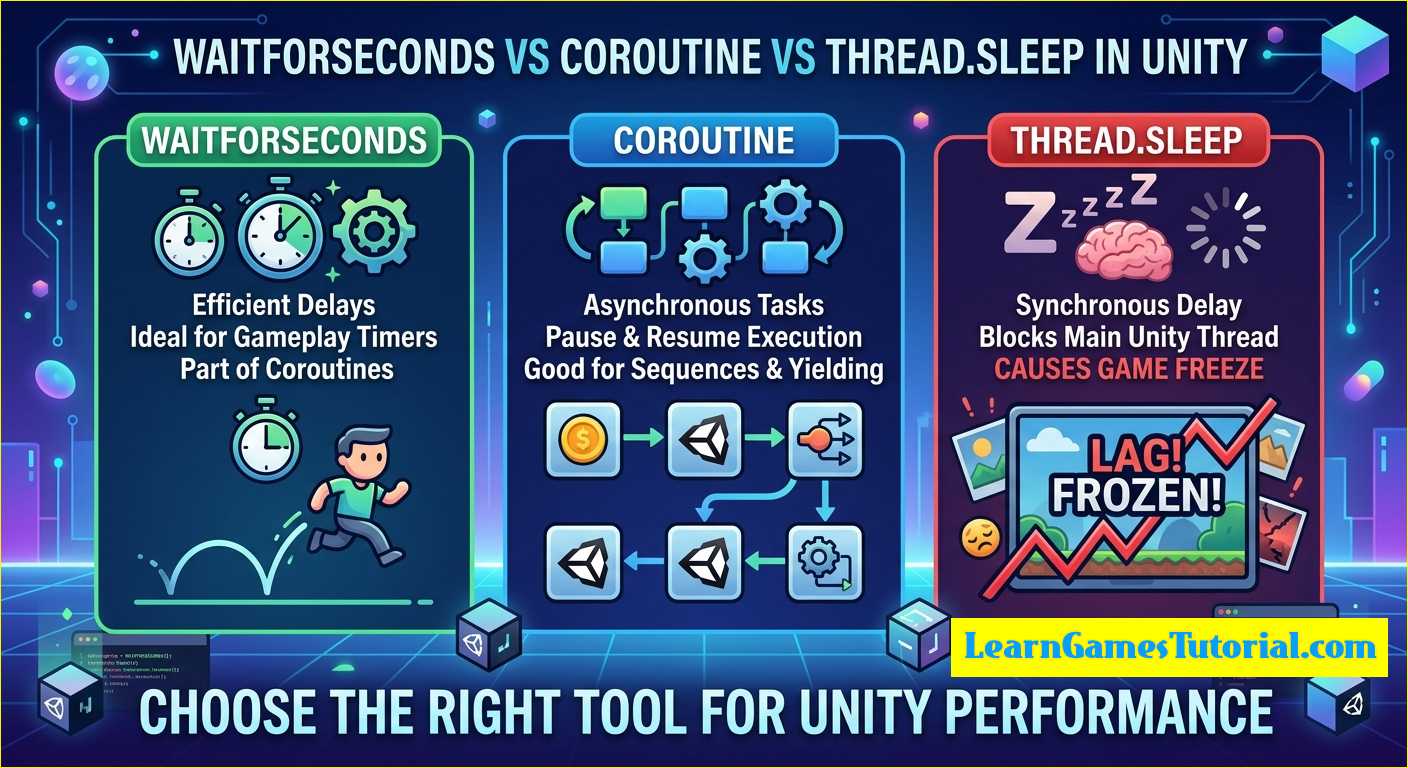
WaitForSeconds vs Coroutine
It is common to see WaitForSeconds vs Coroutine presented as if they are two completely different ways of doing the same thing. They are actually different pieces of the same system.
A coroutine is the method that can pause and continue later.
WaitForSeconds is one of the instructions that tells that coroutine to wait for a certain amount of scaled time.
Think of it this way:
- Coroutine: controls a sequence that can pause and resume.
- WaitForSeconds: tells the coroutine to wait for a specific amount of time.
For example:
IEnumerator Attack()
{
    PlayAttackAnimation();

    yield return new WaitForSeconds(1f);

    DealDamage();
}
The coroutine controls the sequence, while WaitForSeconds creates the delay inside that sequence.
WaitForSeconds vs Thread.Sleep
The biggest difference between WaitForSeconds vs Thread.Sleep is what happens to the thread while waiting.
| Feature | WaitForSeconds | Thread.Sleep |
|---|---|---|
| Part of Unity | Yes | No |
| Used with coroutines | Yes | No |
| Blocks the current thread | No | Yes |
| Uses Time.timeScale | Yes | No |
| Good for gameplay delays | Yes | Usually no |
With WaitForSeconds, Unity can continue processing the game while the coroutine is waiting.
With Thread.Sleep, the thread itself is paused.
So if your goal is simply to wait two seconds before doing something in normal gameplay, a coroutine with WaitForSeconds is usually the better choice.
Coroutine vs Thread.Sleep in Unity
The difference becomes even clearer with an example.
With a coroutine:
IEnumerator WaitAndContinue()
{
    yield return new WaitForSeconds(3f);

    Debug.Log("Done waiting.");
}
Unity can continue processing frames while the coroutine is waiting.
With Thread.Sleep:
Thread.Sleep(3000);

Debug.Log("Done waiting.");
the thread is blocked for the duration of the sleep.
For normal Unity gameplay, this can create exactly the behavior you don’t want: the game appears to stop while it waits.
When Should You Use Each One?
Use WaitForSeconds When…
You need a simple time-based delay inside a coroutine.
yield return new WaitForSeconds(2f);This is ideal for enemy spawning, cooldowns, delayed UI, gameplay sequences, and similar tasks.
Use a Coroutine When…
You need to perform a sequence of actions over multiple frames.
For example:
- Start an action
- Wait
- Do something else
- Wait again
- Finish the sequence
Coroutines are also useful for animations, timed events, periodic checks, and other gameplay logic.
Use Thread.Sleep When…
You intentionally need to pause the current thread.
It has valid uses in multithreaded C# applications, but it is generally not the tool you want for normal Unity gameplay delays.
Other Ways to Wait in a Unity Coroutine
WaitForSeconds isn’t the only yield instruction available in Unity.
Depending on what you need, you can also use:
WaitForSecondsRealtimefor unscaled real timeWaitUntilto wait until a condition becomes trueWaitWhileto wait while a condition remains trueWaitForEndOfFrameto continue at the end of a frameWaitForFixedUpdateto wait for the next fixed update
This makes coroutines useful for more than just simple delays.
Why Choosing the Right Wait Method Matters
If you use the wrong waiting method, your game can feel slow or even appear frozen.
For example, using Thread.Sleep() on Unity’s main thread for a three-second delay means the main thread is blocked for those three seconds.
On the other hand, a coroutine can wait without blocking the normal frame processing.
For performance-related work, it is also important to remember that coroutines do not automatically make heavy calculations faster. If you have CPU-heavy work, you may need to look at other solutions such as Unity’s Job System or appropriate multithreading techniques.
If you’re interested in improving the overall performance of your game, take a look at our guide on Unity game optimization.
WaitForSeconds vs Coroutine vs Thread.Sleep: Quick Answer
| What you need | Recommended option |
|---|---|
| Wait for a few seconds in gameplay | Coroutine + WaitForSeconds |
| Wait using real-world time | Coroutine + WaitForSecondsRealtime |
| Run a sequence over multiple frames | Coroutine |
| Wait for a condition | Coroutine + WaitUntil/WaitWhile |
| Intentionally block a thread | Thread.Sleep |
Frequently Asked Questions
Is WaitForSeconds a coroutine?
No. WaitForSeconds is a Unity yield instruction that is normally used inside a coroutine.
Does WaitForSeconds block the Unity main thread?
No. It suspends the coroutine while allowing Unity to continue processing the game.
Does WaitForSeconds use Time.timeScale?
Yes. WaitForSeconds uses scaled time. If you need the delay to ignore Time.timeScale, use WaitForSecondsRealtime.
Are Unity Coroutines multithreaded?
No. A coroutine is not a separate thread. Coroutine code normally runs on Unity’s main thread.
Is Thread.Sleep safe to use in Unity?
Thread.Sleep() can be useful when you intentionally need to pause a thread, but using it on Unity’s main thread for normal gameplay delays can make the game appear frozen.
Final Thoughts
Once you understand the difference between WaitForSeconds vs Thread.Sleep is actually quite simple.
Use a coroutine when you want a sequence to pause and continue later.
Use WaitForSeconds when that coroutine needs to wait for a certain amount of scaled game time.
Use WaitForSecondsRealtime when you want to ignore Time.timeScale.
Use Thread.Sleep only when you intentionally want to block the current thread.
The most important thing to remember is that a coroutine is not a thread. It is simply a convenient way to spread a sequence of work over time without blocking Unity’s normal frame processing.
If you’re learning Unity step by step, you can also explore our tutorials on the Unity New Input System and Unity Raycast to learn more practical Unity scripting techniques.
